Ideem Admin Console
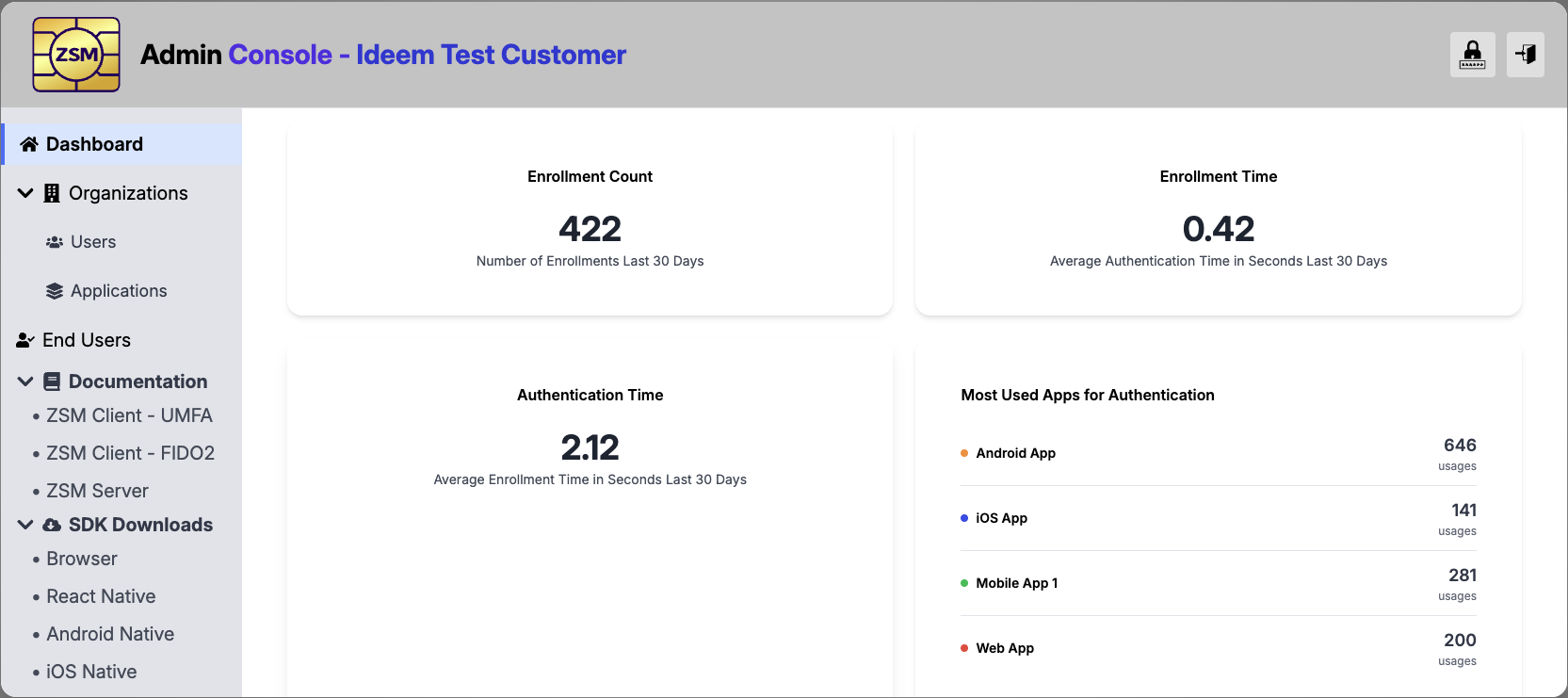
Ideem provides an Admin Console that is used by Customer Organizations user accounts to:
- Manage aspects of their Customer Organization
- Admin Console User Accounts
- Applications
- Manage End Users
- Access Usage Reporting
- Access Documentation and Client SDKs
Customer Organization Management
You will need to provide the following information to Ideem for your Customer Organization:
- Customer Organization Name
- Contact information (Name and Email Address)
Ideem will create a Customer Organization and assign the initial Admin User to the contact provided.
When the initial Admin user logs into the Admin Console, they will have the ability to add other Admin Console users and set their access levels.
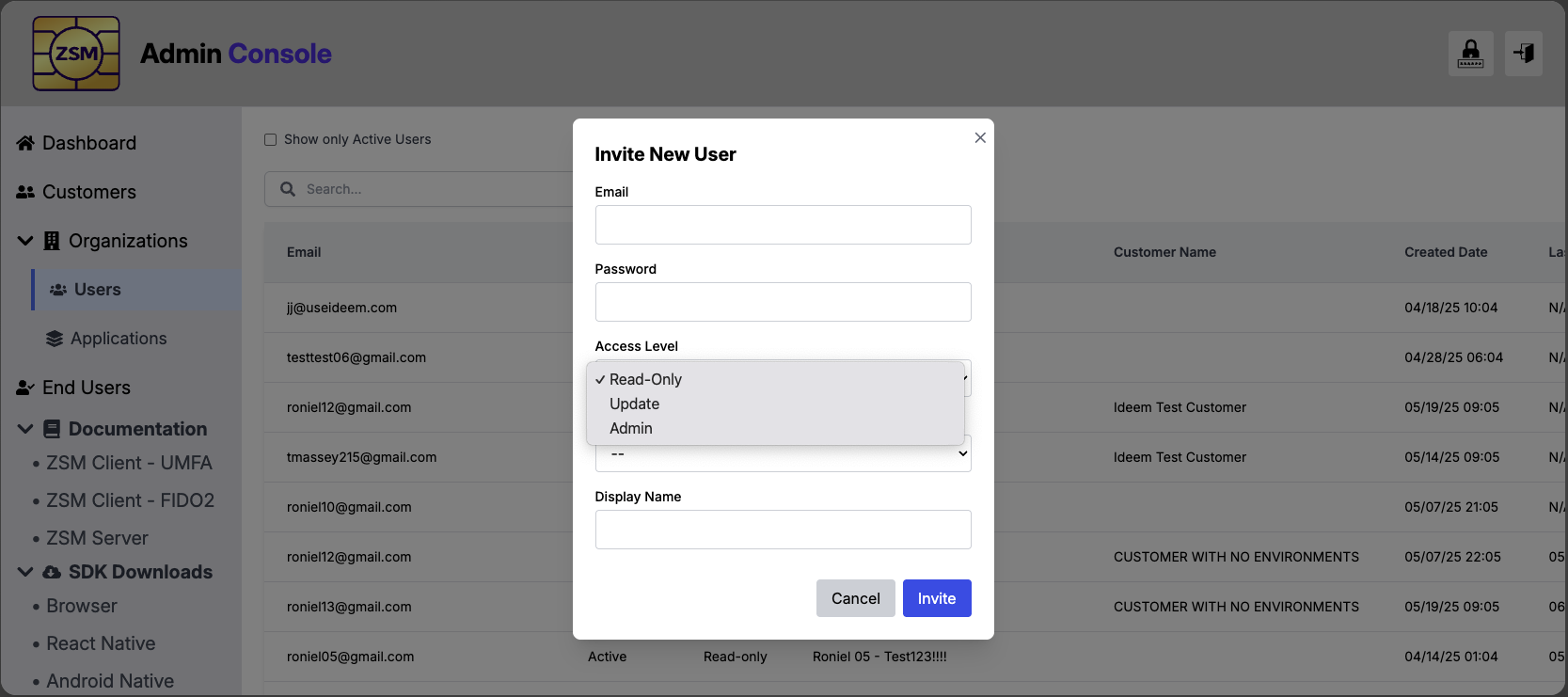
As a Customer Organization user, with the appropriate access levels, you will have the ability to manage Customer Organization users and Applications.
Application Management
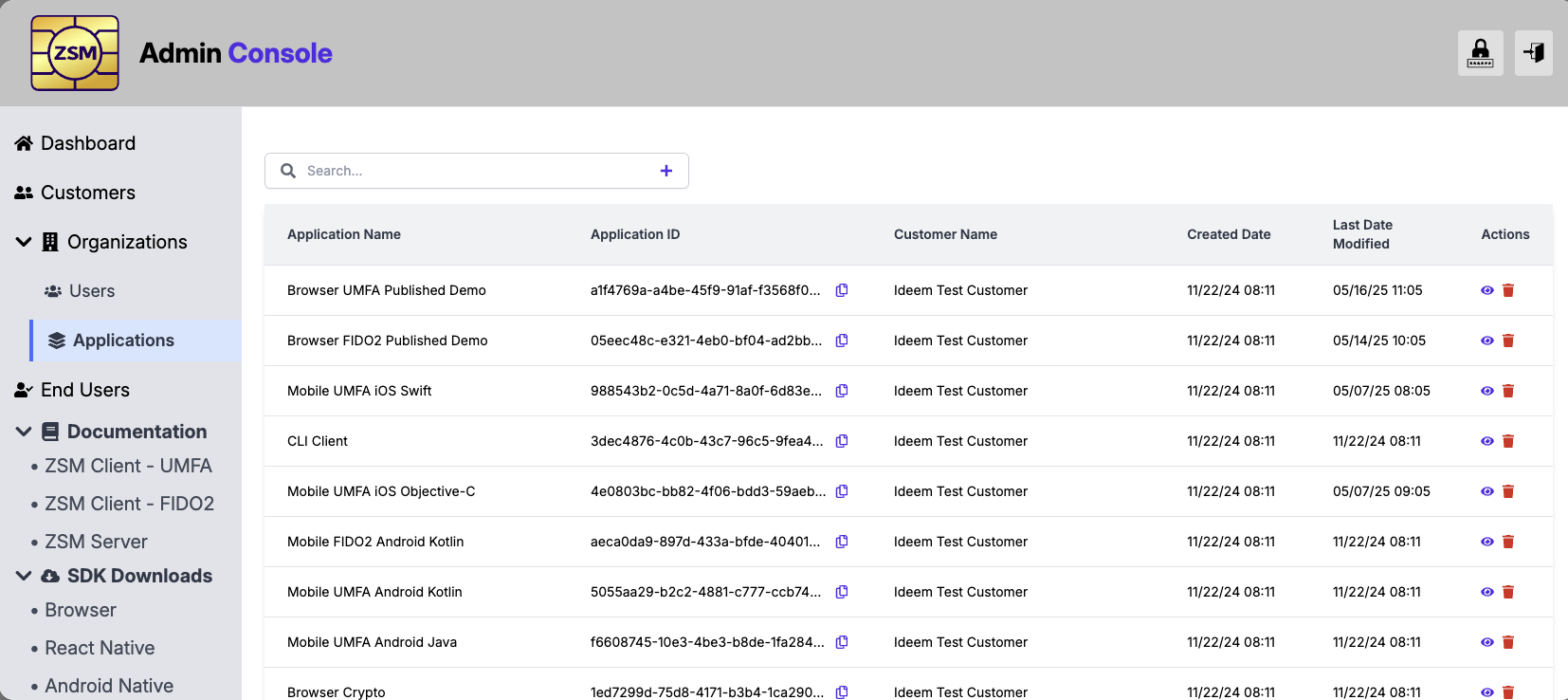
From the Applications page, you will find a list of applications that have previously been created for your organization, and have the ability to manage those as well as setup new applications associated with your organziation
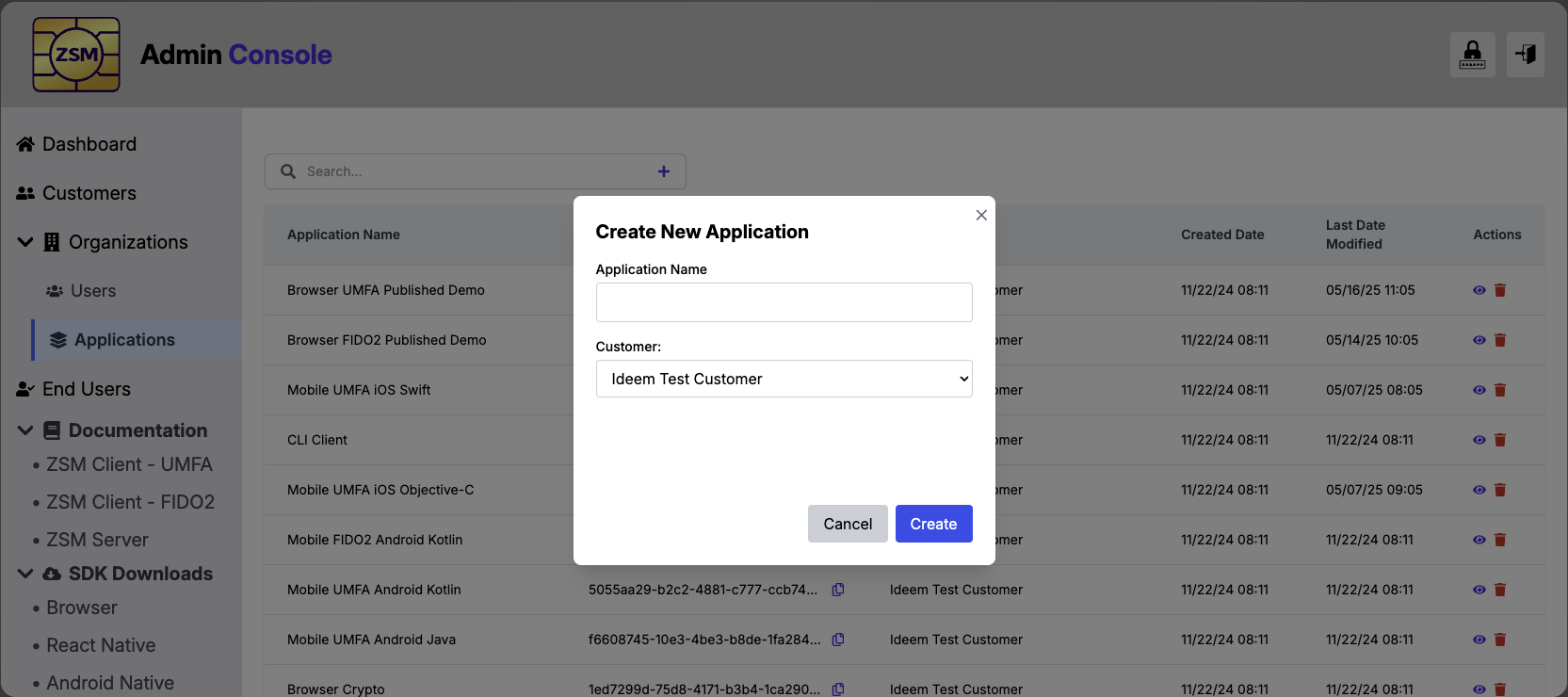
When creating a new application, you will initially just need to provide the Application Name.
After creating the application, you will receive configuration information you will need when configurating the application that will use the Ideem software.
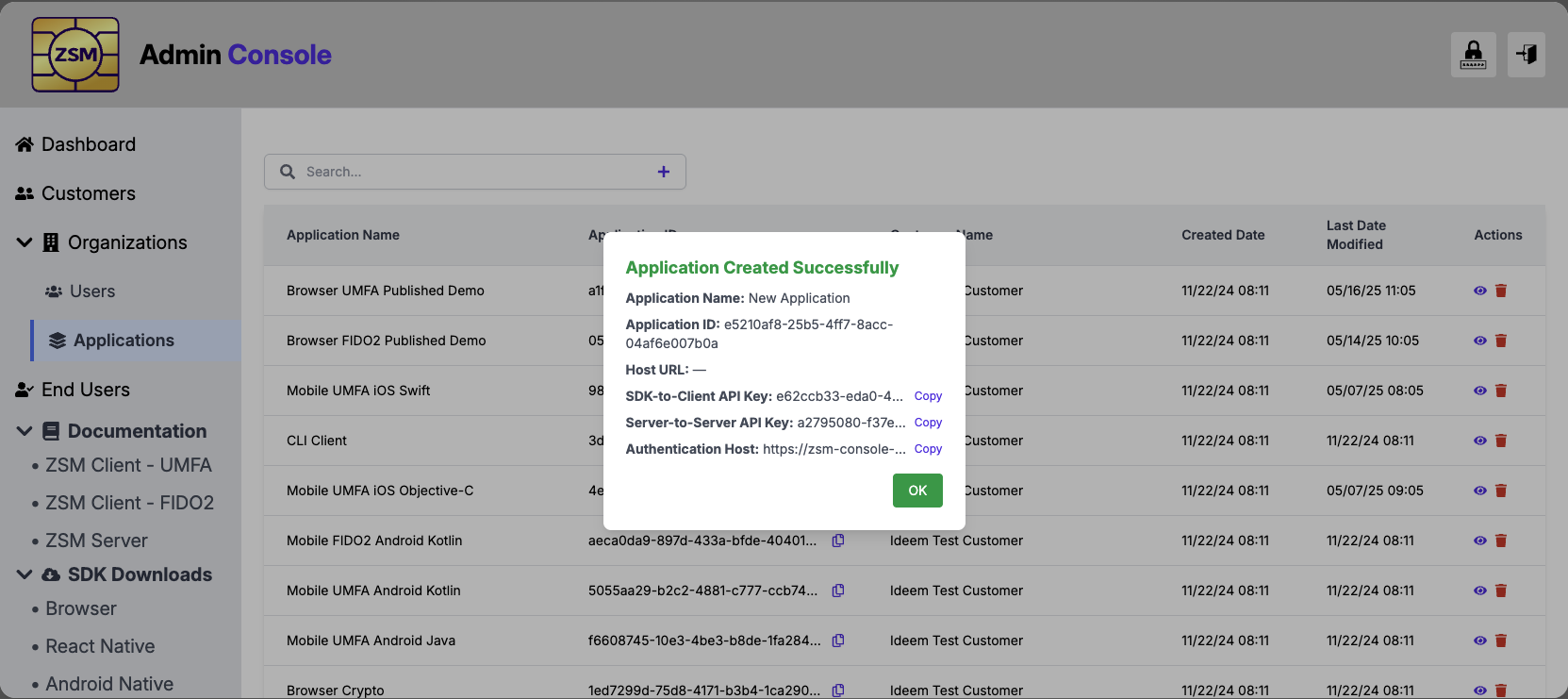
The following information will be provided as configuration information when integrating Ideem's ZSM Client SDK into your application.
application_id: This is a unique identifier for your application.host_url: This points to the SaaS server infrastructure your application will work with.api_key: This is used for access and monitoring of server interactions.
You will be asked to provide a list of origin domains for your browser applications, and bundle/package IDs for you mobile app, which will be used for whitelisting.
The following information will be provided for authenticating and configuring your interactions with the Ideem Authentication Server for your Universal MFA operations.
application_id: This is a unique identifier for your application.host_url: This points to the SaaS server infrastructure your application will work with.api_key: Authorization key tied to your Application for server interations.
From the Application page you can view your applications, update application details, suspend applications, and reactivate suspended applications.
Reference the Documentation and Client SDK sections of the Admin Console for more detail information and to start you application integration.
End Users
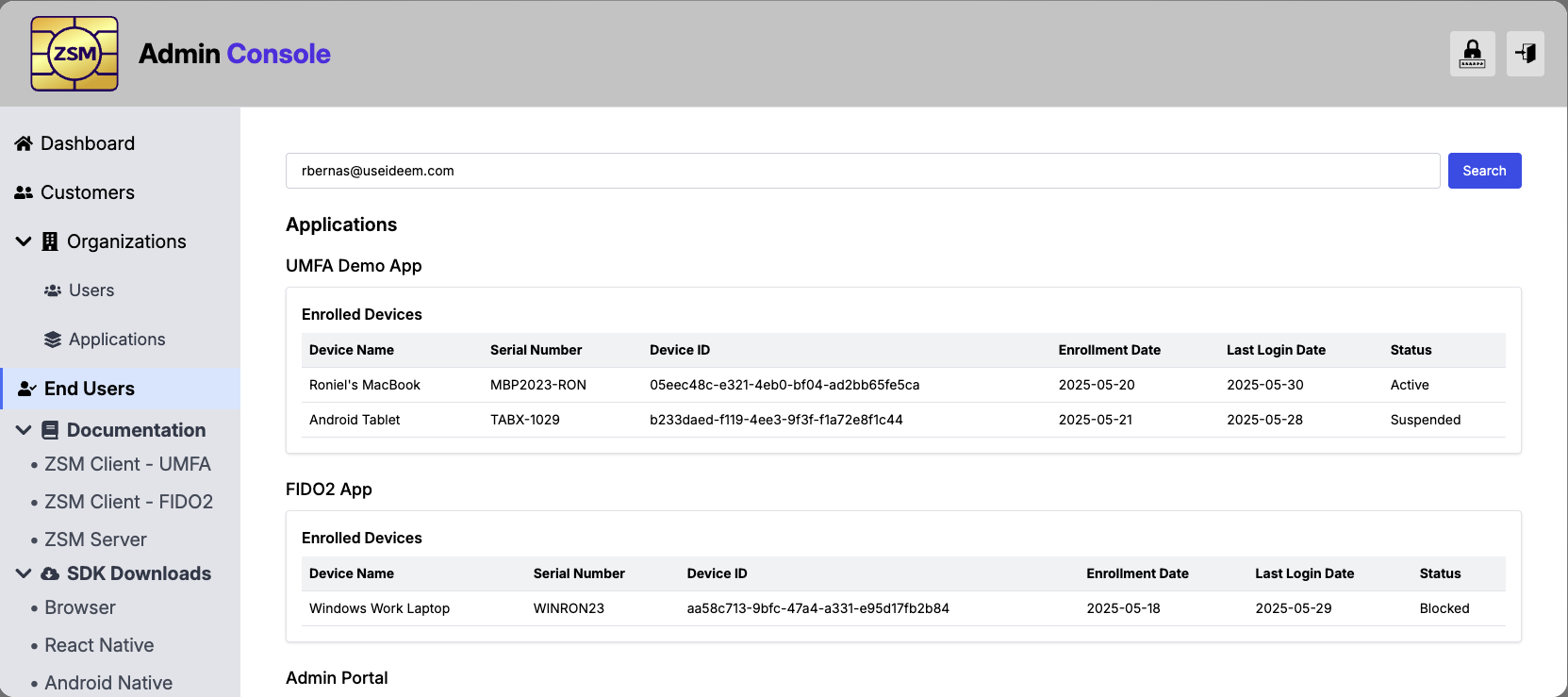
From the End User section of the Admin Console, you can search for an end user, using the identifier you providing for them during enrollment. After entering this identifier you will be shown the Applications they are using and the devies they are enrolled on.
From this page, you will have the ability to suspend/active their usage at the application and/or device levels.
Documentation and SDK Downloads
You can access online documentation for Ideem's FIDO2 Auth and Universal MFA feature sets from the Admin Console menu. You can also donwload the latest SDKs for your targeted platform.